UX Terrain · Analog
Learn photography by making the choices yourself.
Flotrak is an AI-powered analog photography toolkit in prototype. Its integrated Coach helps students connect questions about focus, light, and exposure to the controls in front of them. They can explore a lesson, place metering points in the viewfinder, and adjust settings while learning how to approach a photograph with their film setup.
Make the fundamentals visible
I wanted to build a tool for learning photography. Automated camera settings and filters can produce an image while leaving the choices behind it unclear. FloTrak brings those choices into the interface: where to focus, which shadows to read, and how to approach exposure. Coach brings that learning into the tool: students can ask a photography question, open a focused lesson, and use “Show me” to return to the relevant control. AI supports the explanation while the student makes the adjustment.
The learning loop / aperture example
From “what does this do?” to “I can try it.”
A lesson becomes useful when the learner can connect it to an action and a visible reference. Explore three moments from the working prototype.
01 / A question with somewhere to go
Give the explanation a visible reference.
The student asks about aperture. Coach connects its explanation to the focus wedge and suggests moving one control, rather than changing several settings at once. The lesson gives the learner something specific to look for.
“What should I watch when I change aperture?”
Design principleTeach toward an action, not just a definition.
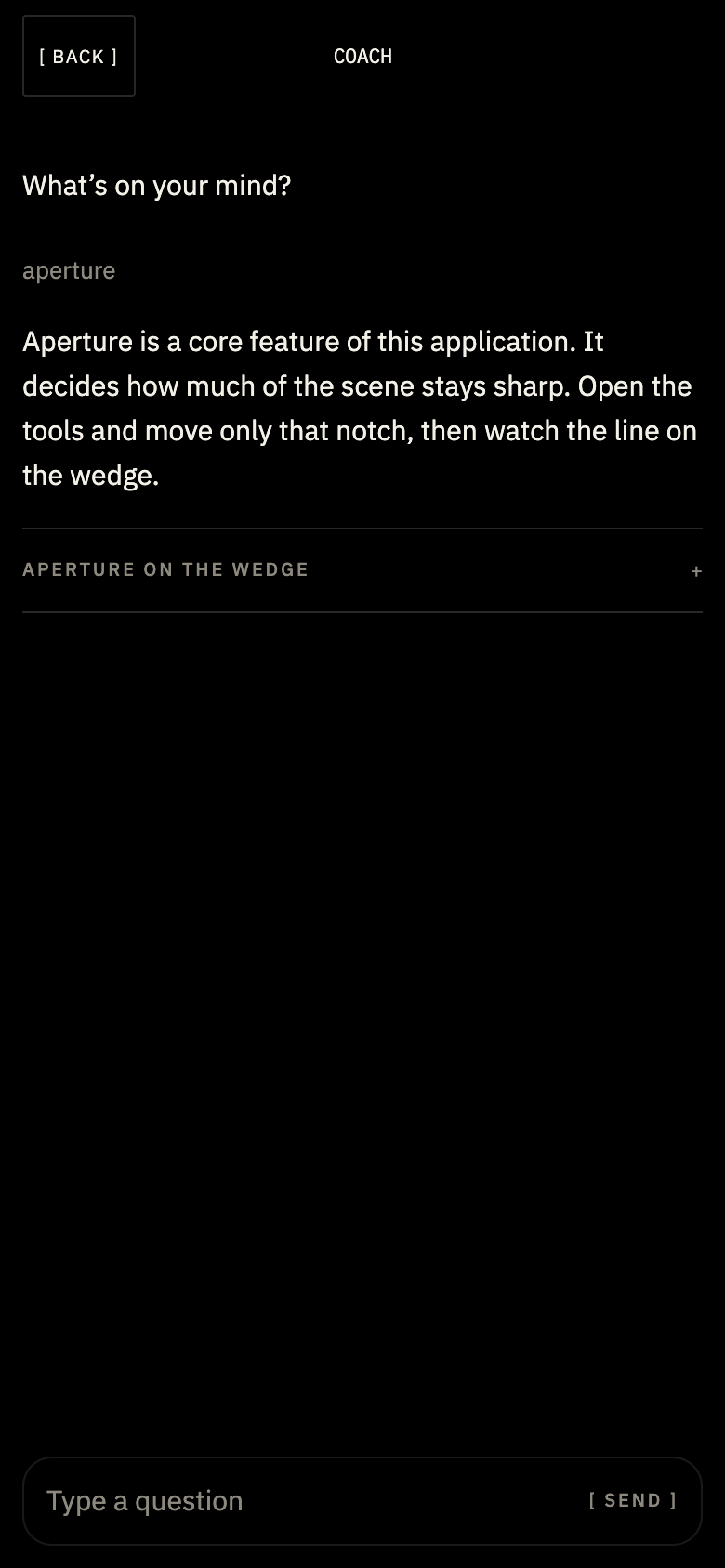
Screen details show the prototype's teaching flow. This case-study explorer switches between captured screens; it does not calculate exposure or simulate a camera.
Ask Coach. Try the control. See what changes.
Integrated AI Coach
Teach the idea, then bring it to the control
Coach is part of the photography workspace. A student can ask about focus, aperture, shutter speed, ISO, or the two metering points. The prototype pairs short replies with expandable lesson notes and a “Show me” action that returns to the relevant control with an explanation.
Start with the photograph
What do you want to hold on to?
The brightness in the clouds. The quiet in the trees. The way the water draws your eye into the distance. A photography question can begin with something you notice, before you know which setting to ask about.
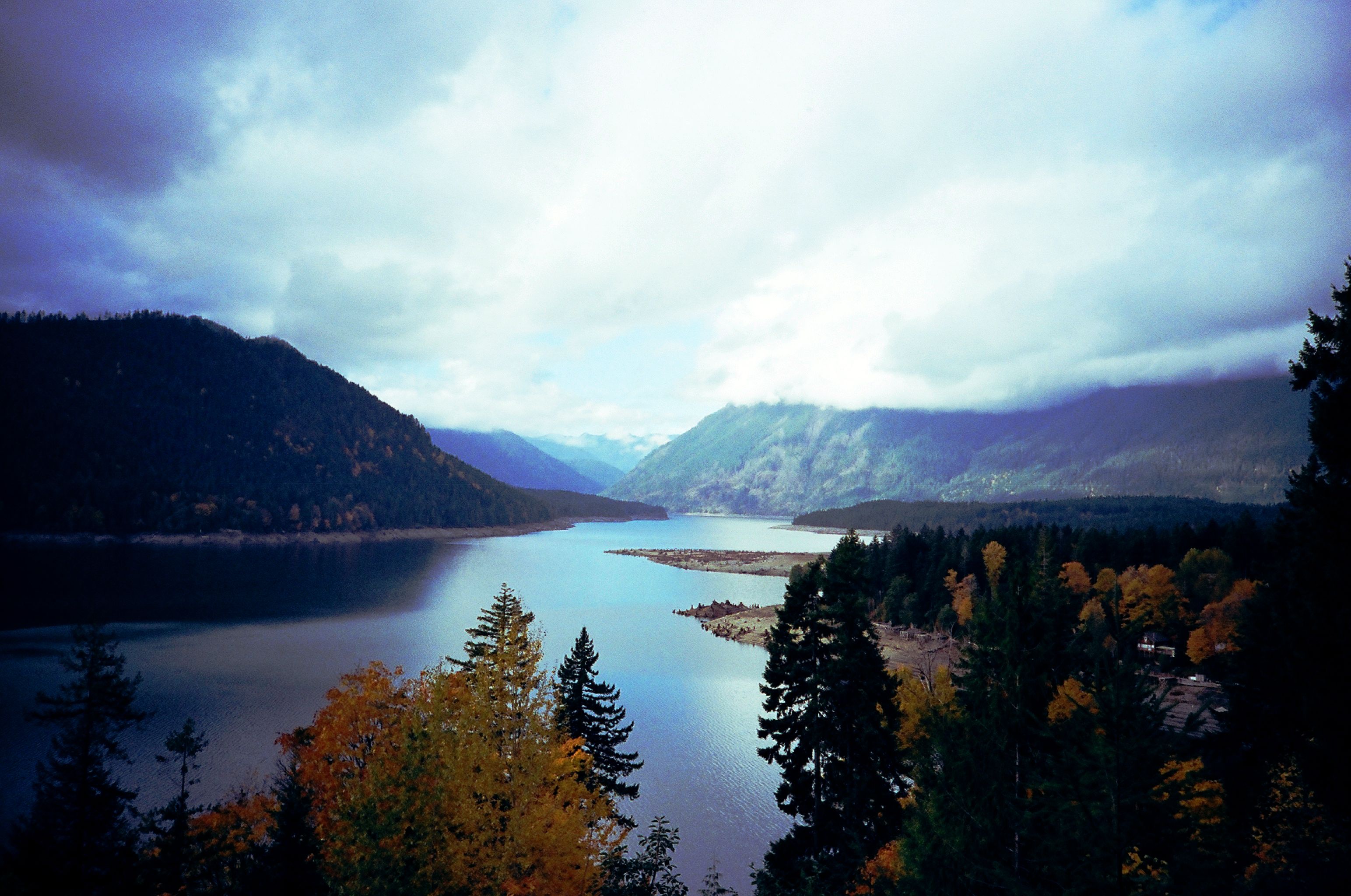
Notice / ask
“I want the clouds to feel luminous, without losing their texture.”
The sky is a large, bright part of the frame. Start with what matters about that light: its softness, its texture, and its relationship to the darker landscape.
Connect / explore
Give the exposure question a place in the scene.
Coach can introduce the exposure reference and the role of point A. The photographer chooses the tone to expose for, then returns to the viewfinder to make that choice.
Explore the A/B viewfinder →Illustrative learning prompts for this photograph—not a record of how it was exposed. The image stays unchanged; these scene references are case-study annotations, not automated image analysis in the app.
The learning material moves from individual controls to practice with points A and B, then to creative decisions and experiments with expired film. Point A is the tone the photographer exposes for; point B helps them assess the shadow they want to retain. Those choices stay with the student.
The current implementation combines authored photography lessons, setting-based guidance, and AI-generated replies to broader questions when the AI connection is available. This gives Coach a defined foundation for the core lessons while leaving room for questions about the picture a student wants to make.
01
Keep guidance beside the exposure reading
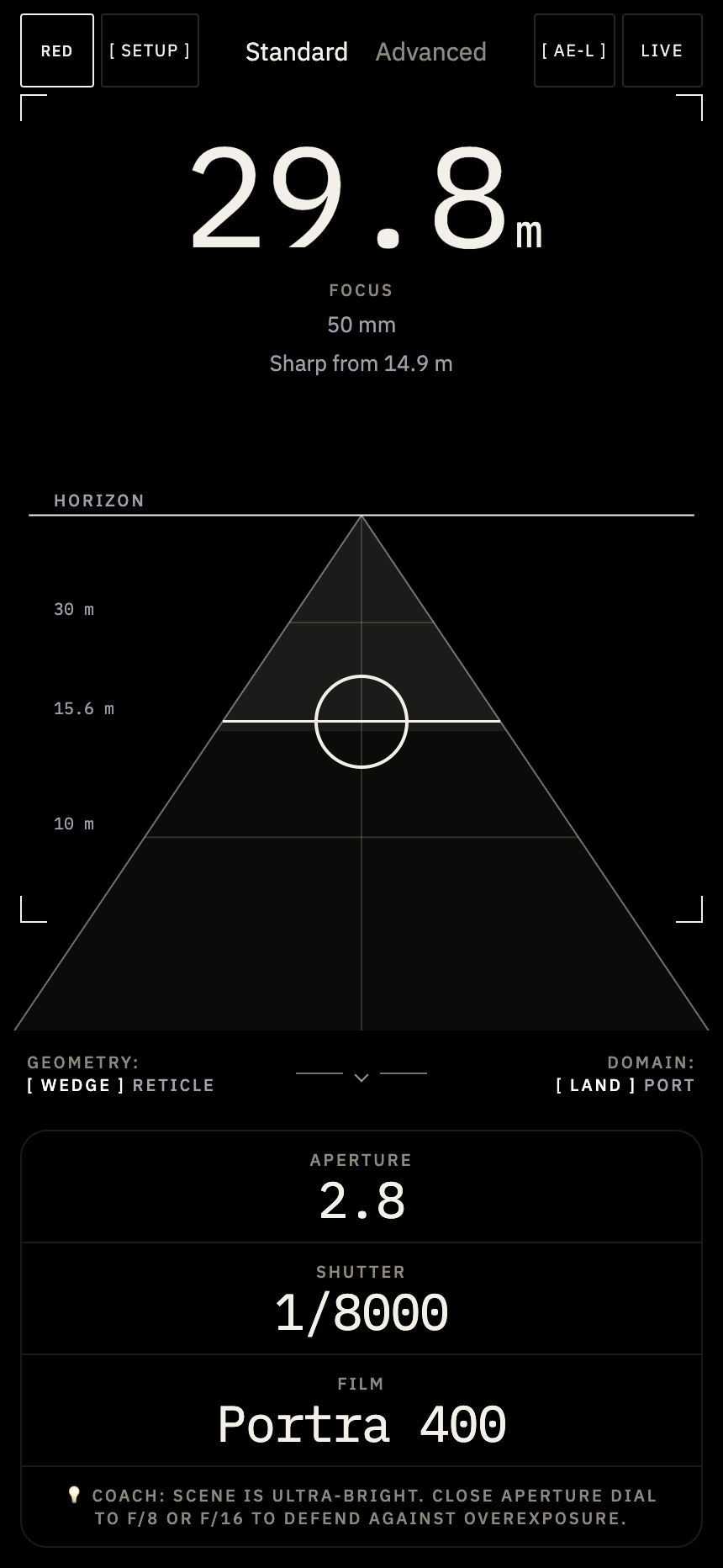
This earlier Standard-mode exploration groups focus, aperture, shutter speed, and film into a compact reading. An inline Coach prompt suggests a next adjustment. It explores how to connect a numerical reading to something the photographer can try, before the fuller question-and-lesson experience described above.
02
Explore focus and shadows in the viewfinder
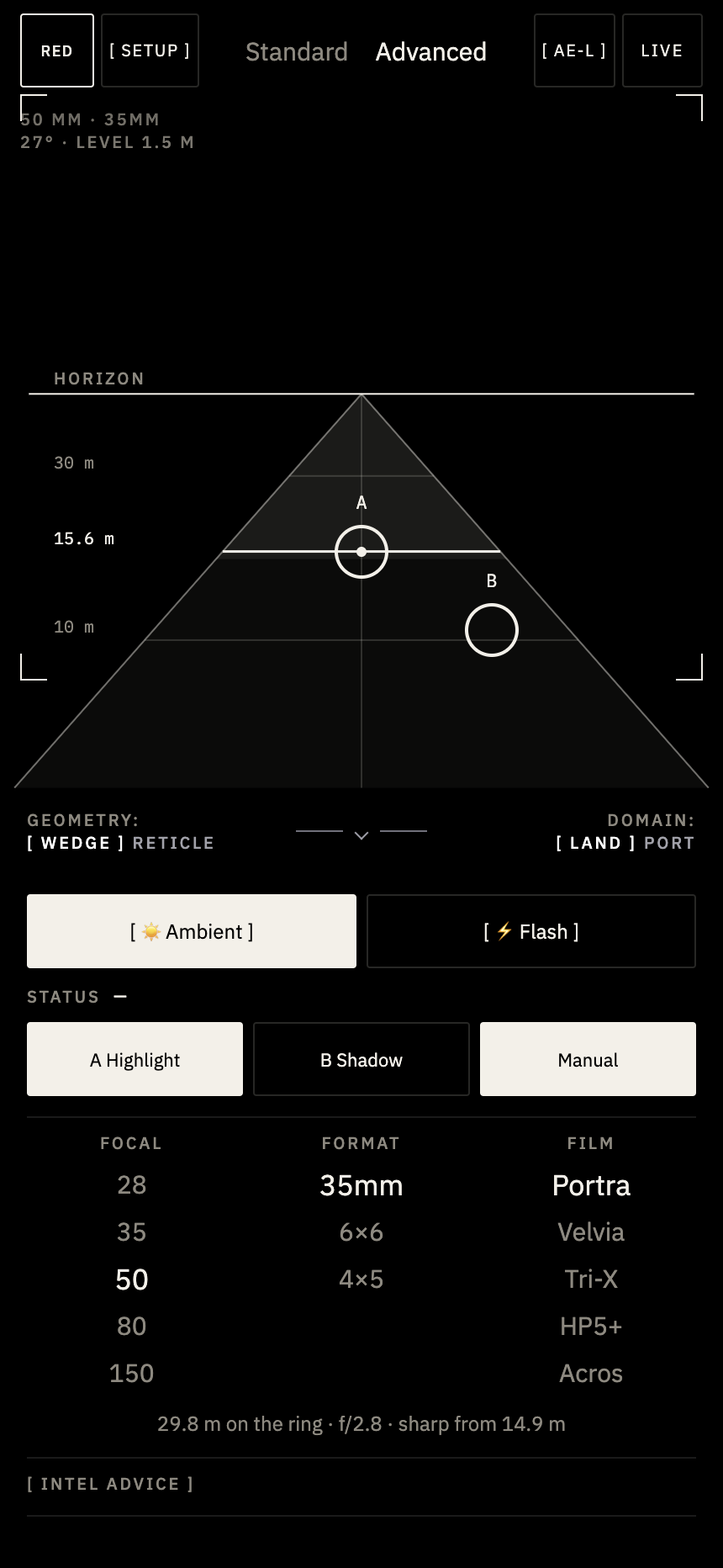
The viewfinder exploration uses a focus wedge and labeled distance bands to give the reading a spatial reference. Points A and B let the photographer choose an exposure reference and a shadow to compare. Focal length, format, and film remain visible below the viewfinder.
03
Explore flash controls beside the scene
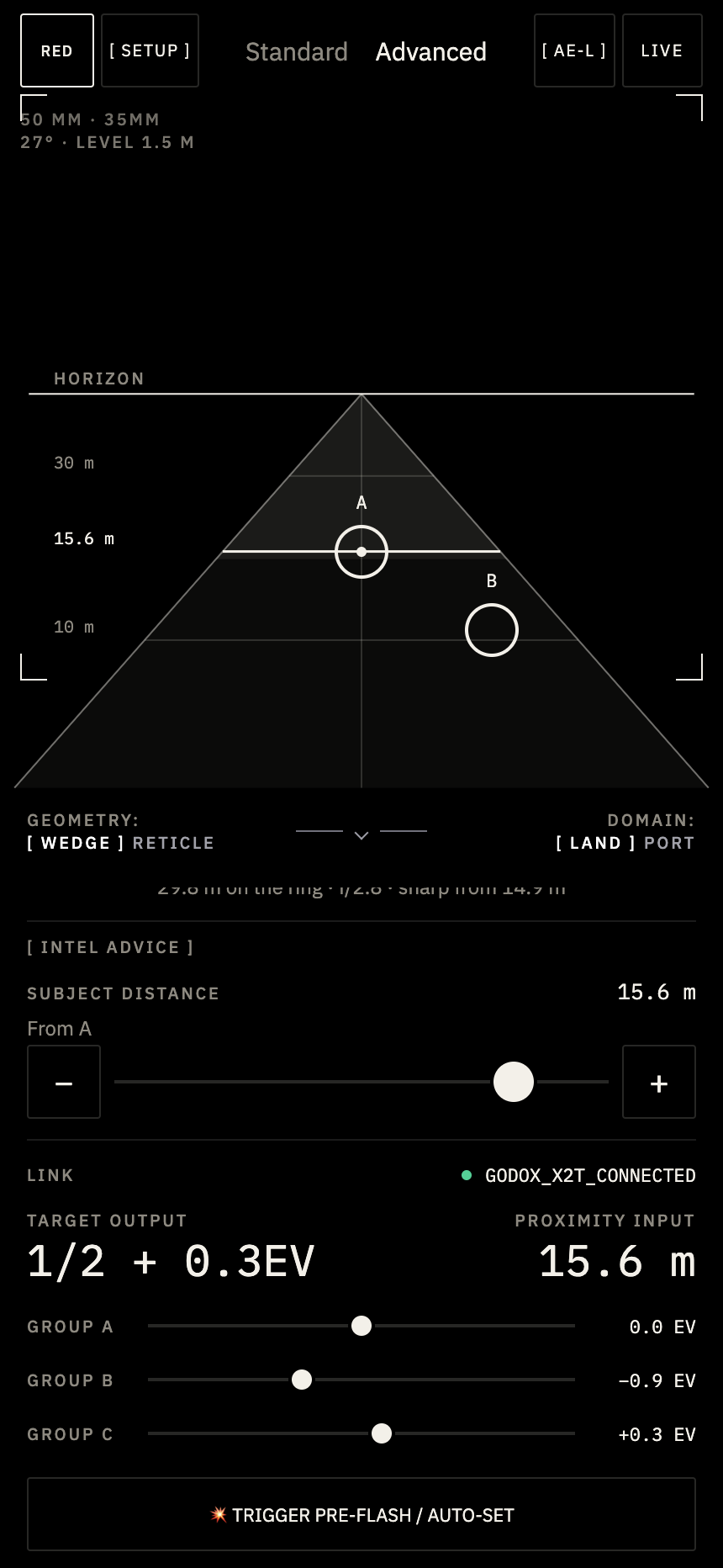
This flash-control exploration keeps the viewfinder in place and changes the controls below it. Connection status, target output, subject distance, and group adjustments share the workspace. The Godox connection is shown as a design exploration; the screen is not evidence of a tested hardware integration.
04
Keep a record for each frame
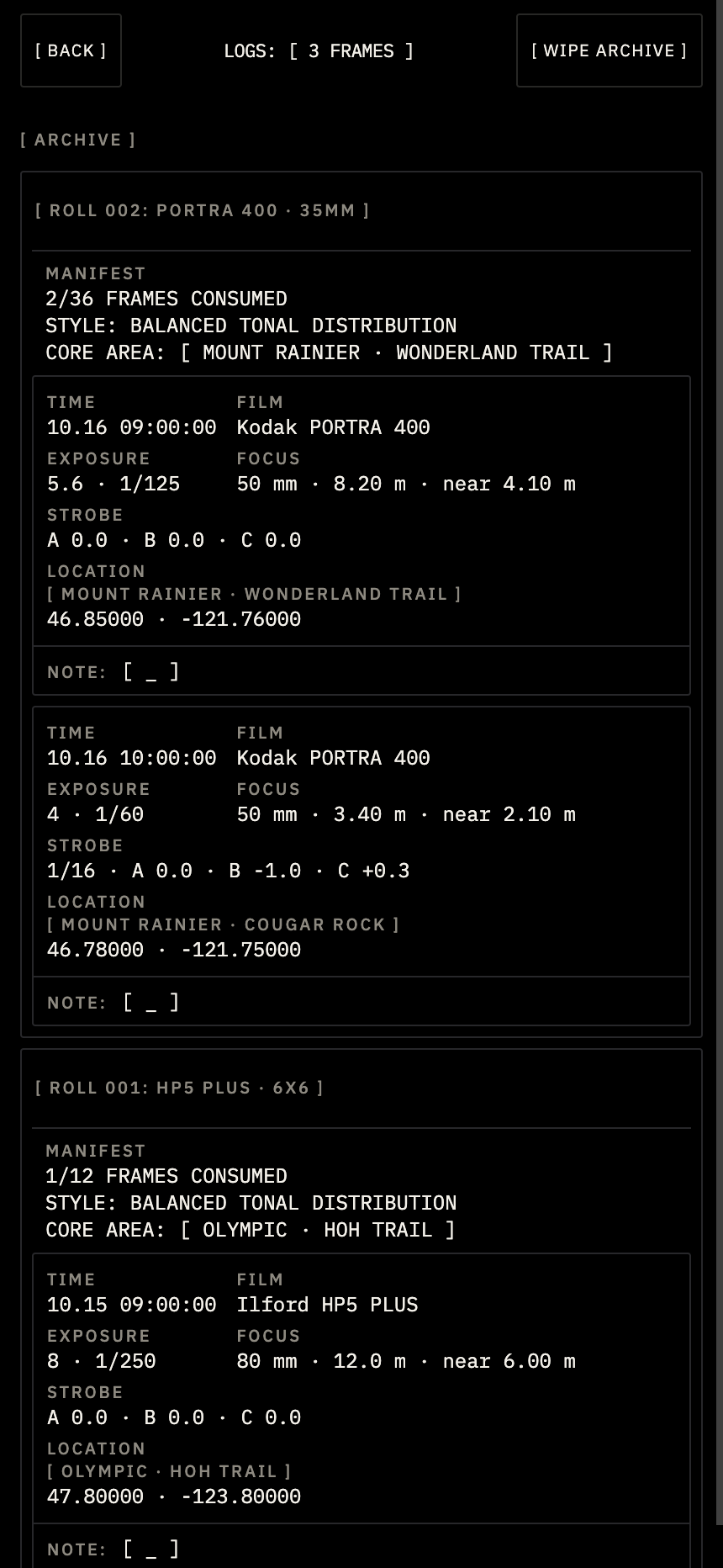
The earlier archive exploration groups frame records by roll, with film and format named in the header. Each record brings together exposure, focus, flash information, location, and a note. The design explores how a photographer could return to the choices made for each frame.
Design-system context
Flotrak does not use a design system. The working prototype explores its own visual language and photography controls; that consistency should not be described as an established design system.